前提条件
Claude Code を Connect AI と連携させる前に、まず以下を準備する必要があります:- Connect AI アカウントにデータソースを接続する。詳細については、ソース を参照してください。
- (Basic 認証のみ)Settings ページで Personal Access Token(PAT)を生成する。PAT をコピーし、認証時にパスワードとして使用します。
Claude Code をインストールする
1
PowerShell を管理者として開き、以下のコマンドを実行します:
2
インストール完了後、ターミナルで
npm list -g @anthropic-ai/claude-code を実行してインストールを確認します。次のような出力が表示されます:3
Claude Code という名前のプロジェクトを作成し、Visual Studio Code で開きます。Connect AI への接続
OAuth 認証
プロジェクトのターミナルで以下のコマンドを実行します:1
claude と入力してセッションを開始し、/mcp コマンドを実行します。2
connectmcp サーバーを選択し、Authenticate を選びます。Claude Code がブラウザを開き、Connect AI のサインインページに移動します。3
サインインを完了します。ターミナルに戻ると、サーバーステータスが connected に変わります。
Basic 認証
プロジェクトのターミナルで以下のコマンドを実行します:Claude Code セッションの開始
1
claude と入力します。ウェルカム画面が表示されます: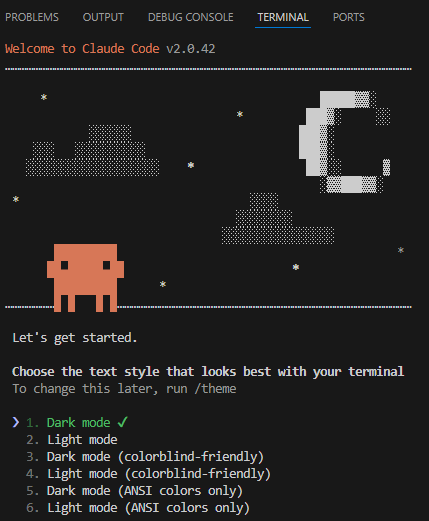
2
テキストスタイルとログイン方法を選択します。Claude Code がブラウザを開き、Claude にログインします。
3
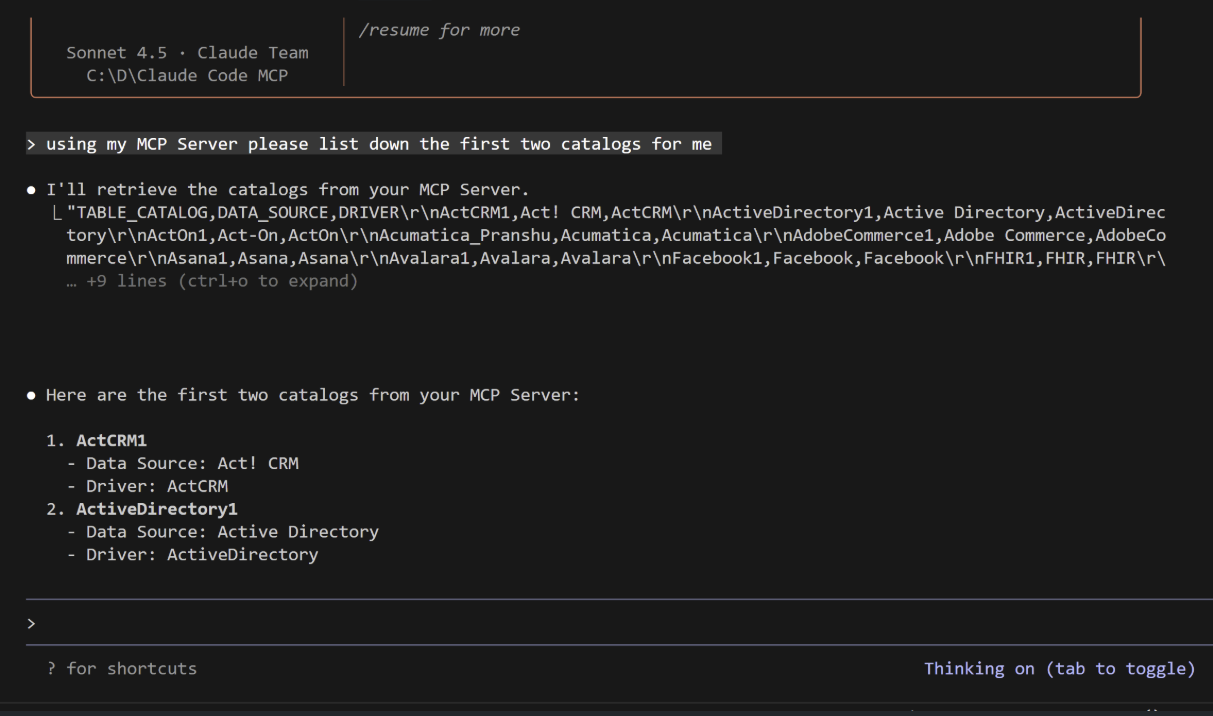
これで MCP サーバーとやり取りできます: