Documentation Index
Fetch the complete documentation index at: https://docs.cloud.cdata.com/llms.txt
Use this file to discover all available pages before exploring further.
Prerequisites
Before you can configure and use LangGraph with Connect AI, you must first do the following:
- Connect a data source to your Connect AI account. See Sources for more information.
- Generate a Personal Access Token (PAT) on the Settings page. Copy this down, as it acts as your password during authentication.
- Obtain an OpenAI API key: https://platform.openai.com/.
- Make sure you have Python >= 3.10 in order to install the LangChain and LangGraph packages.
Create the Python Files
Create a folder for LangGraph MCP.
Create a Python file within the folder called langraph.py.
Paste the following text into langraph.py. You need to provide your Base64-encoded Connect AI username and PAT (obtained in the prerequisites)."""
Simple LangGraph + MCP + OpenAI Integration
Pure LangGraph implementation without LangChain
"""
import asyncio
from typing import Any
from langgraph.graph import StateGraph, START, END
from langgraph.prebuilt import create_react_agent
from langchain_mcp_adapters.client import MultiServerMCPClient
from langchain_openai import ChatOpenAI
from langchain_core.messages import BaseMessage, HumanMessage, AIMessage, ToolMessage
from typing_extensions import TypedDict, Annotated
import operator
class AgentState(TypedDict):
"""State for the LangGraph agent"""
messages: Annotated[list[BaseMessage], operator.add]
async def main():
# Configuration
MCP_BASE_URL = "https://mcp.cloud.cdata.com/mcp"
MCP_AUTH = "YOUR_BASE64_ENCODED_EMAIL:PAT"
OPENAI_API_KEY = "YOUR_OPENAI_API_KEY"
# Step 1: Connect to MCP server
print("🔗 Connecting to MCP server...")
mcp_client = MultiServerMCPClient(
connections={
"default": {
"transport": "streamable_http",
"url": MCP_BASE_URL,
"headers": {"Authorization": f"Basic {MCP_AUTH}"} if MCP_AUTH else {},
}
}
)
# Step 2: Load all available tools from MCP
print("📦 Loading MCP tools...")
all_mcp_tools = await mcp_client.get_tools()
tool_names = [tool.name for tool in all_mcp_tools]
print(f"✅ Found {len(tool_names)} tools: {tool_names}\n")
# Step 3: Initialize OpenAI LLM
print("🤖 Initializing OpenAI LLM...")
llm = ChatOpenAI(
model="gpt-4o",
temperature=0.2,
api_key=OPENAI_API_KEY
)
# Step 4: Create LangGraph agent
print("⚙️ Creating LangGraph agent...\n")
agent = create_react_agent(llm, all_mcp_tools)
# Step 5: Create the graph
builder = StateGraph(AgentState)
builder.add_node("agent", agent)
builder.add_edge(START, "agent")
builder.add_edge("agent", END)
graph = builder.compile()
# Step 6: Run agent with your query
user_prompt = "List down the first record from the Activities table from ActCRM1"
print(f"❓ User Query: {user_prompt}\n")
print("🔄 Agent is thinking and using tools...\n")
initial_state = {
"messages": [HumanMessage(content=user_prompt)]
}
result = await graph.ainvoke(initial_state)
# Step 7: Print final response
final_response = result["messages"][-1].content
print(f"✨ Agent Response:\n{final_response}")
if __name__ == "__main__":
asyncio.run(main())
Install the LangChain and LangGraph Packages
Run pip install -U langgraph langchain langchain-openai langchain-mcp-adapters typing-extensions in your project root terminal.
Run the Python Script
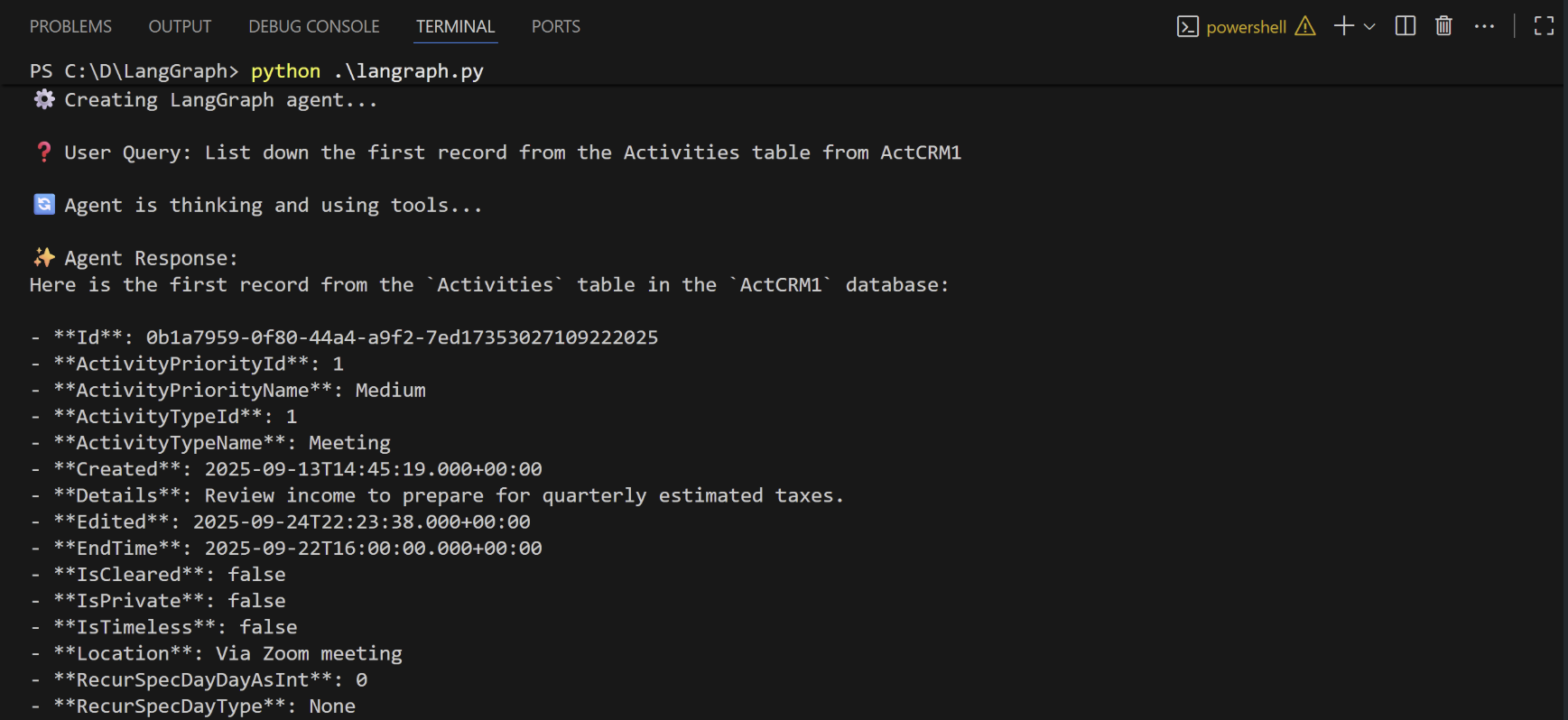
When the installation finishes, run python langraph.py to execute the script.
The script discovers the Connect AI MCP tools needed for the LLM to query the connected data.
Supply a prompt for the agent. The agent provides a response.