前提条件
接続する前にまず以下を実行します。- データソースをConnect AI アカウントに接続します。詳しくは、Sources を参照してください。
- ワークスペースを作成します。後の手順で、(
https://cloud.cdata.com/api/odata/{workspace_name}) ページのOData Service URL と関連するワークスペース名を使用してコネクションを確立します。 - Settings ページでPersonal Access Token (PAT) を生成します。PAT をコピーし、認証時にパスワードとして使用します。
Connect AI への接続
OData プロトコルを使用してZapier からConnect AI へのコネクションを確立するには、以下の手順に従います。1
Log in to Zapier.
2
Click Create Zap.
3
In the dialog that appears, search for “Webhooks by Zapier”, and click the option underneath.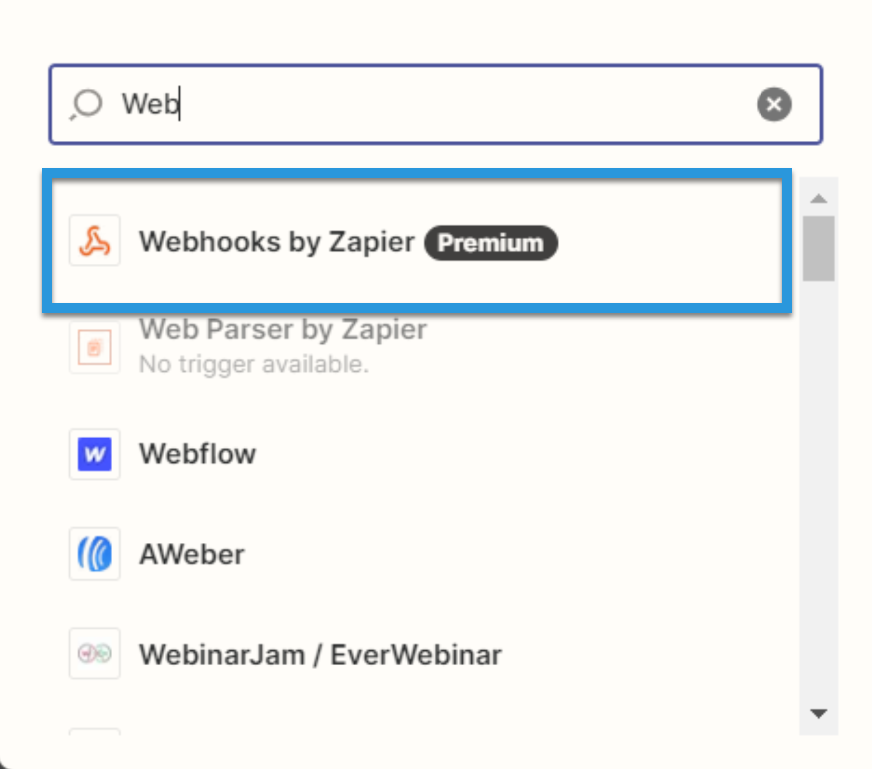
4
Under Event, select Retrieve Poll.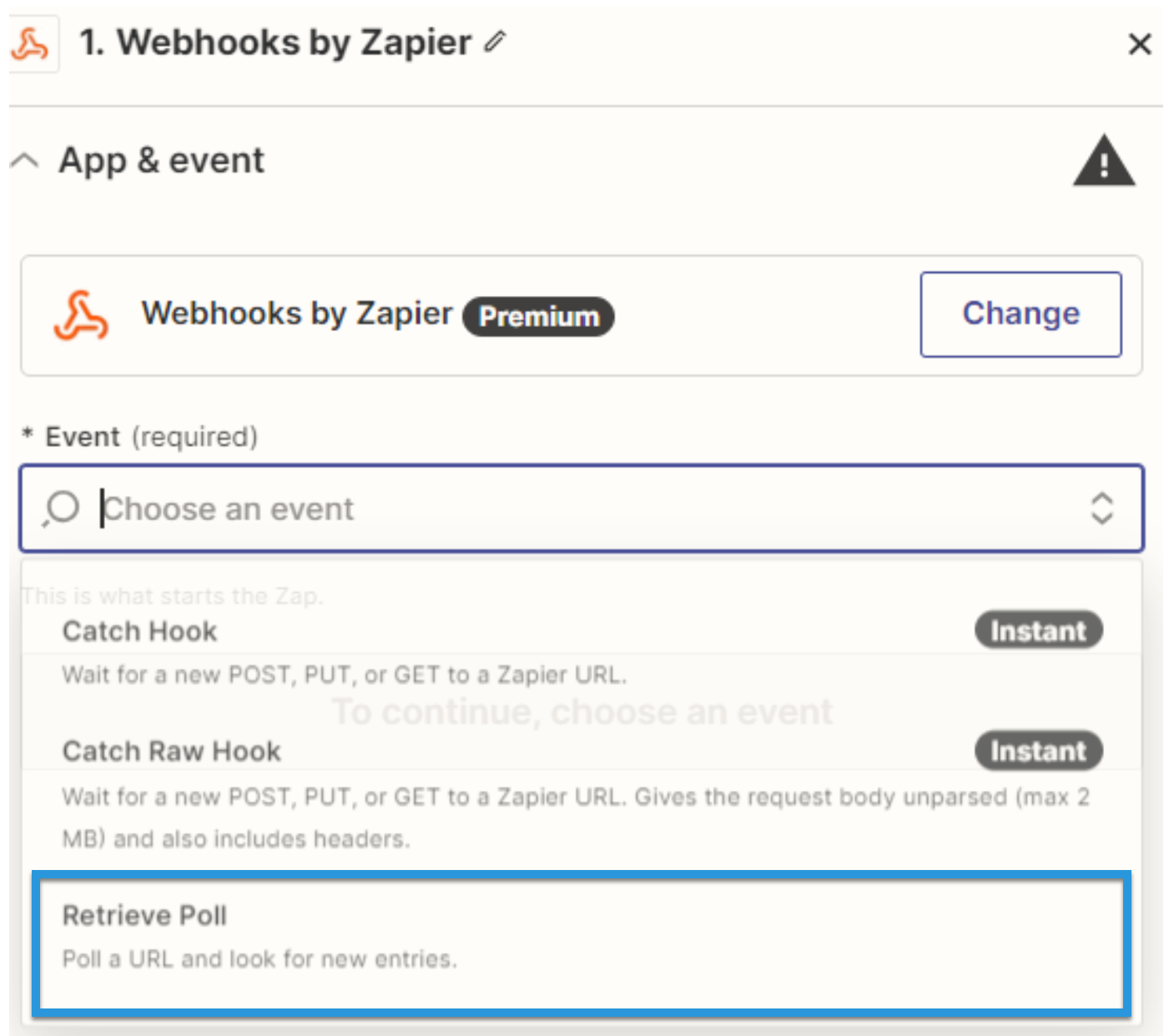
5
Fill in the connection details: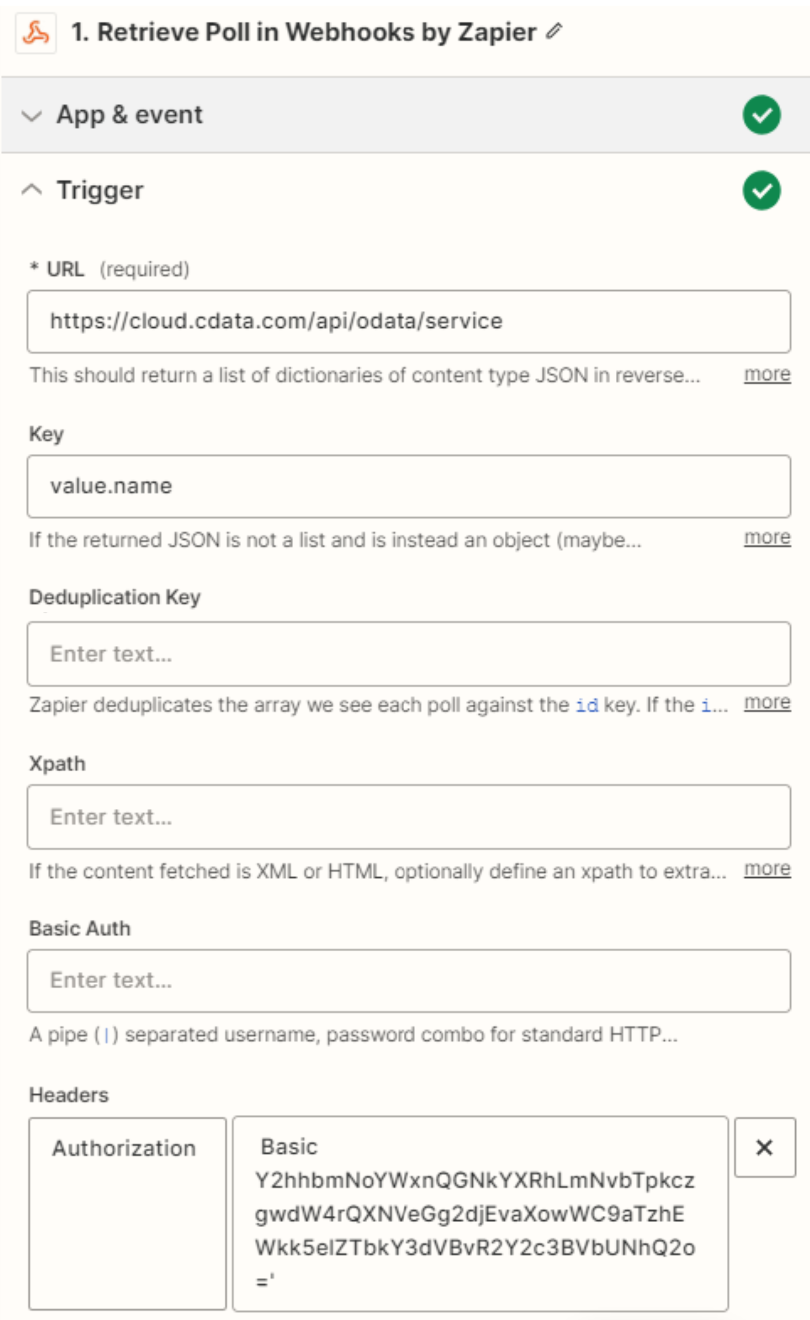
- URL: Enter the OData URL.
- Key: Enter “value.name”.
- Authentication details: Fill in Basic Auth or Headers. The basic option requires a user and password separated by a pipe (
|) symbol. The headers option requires a request type header with encoded credentials.
6
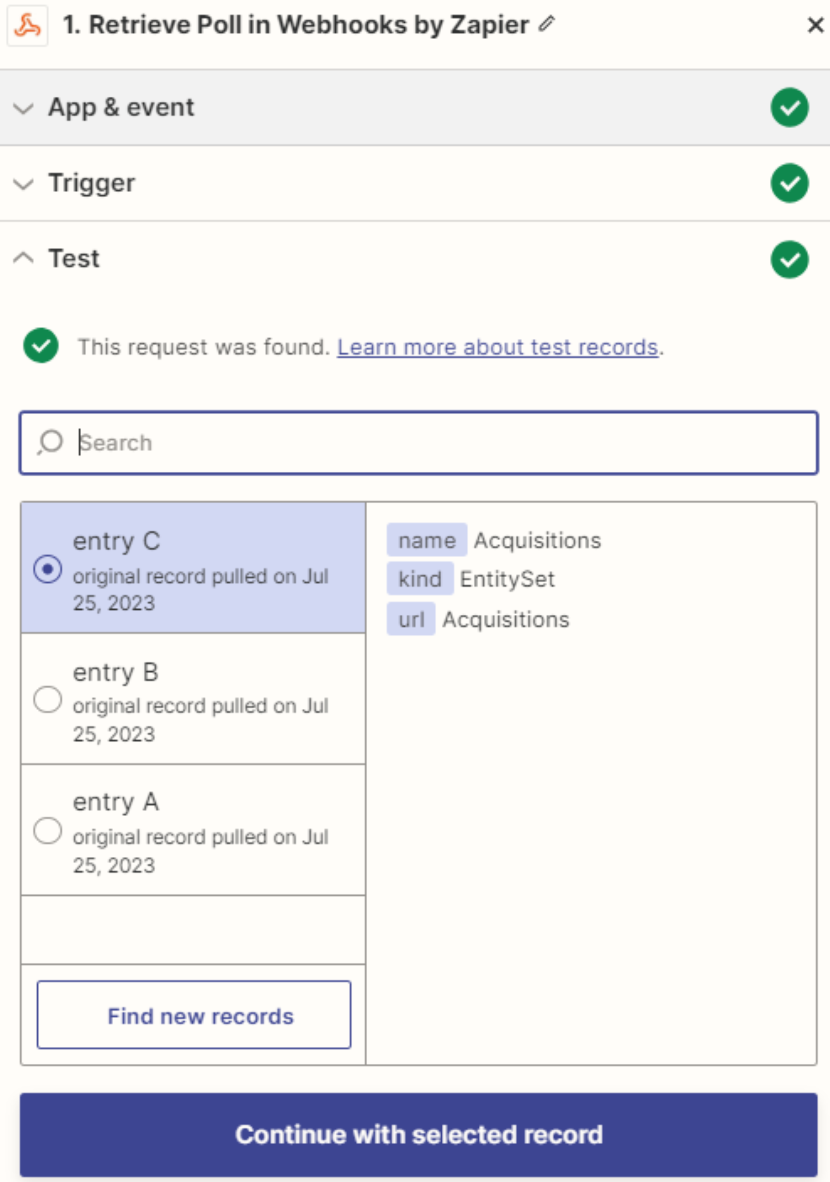
Click Test. If the connection is set up properly, sample records will appear.