

前提条件
接続する前にまず以下を実行します。- データソースをConnect AI アカウントに接続します。詳しくは、Sources を参照してください。
- Settings ページでPersonal Access Token (PAT) を生成します。PAT をコピーし、認証時にパスワードとして使用します。
Connect AI に接続する
Nintex からConnect AI の仮想SQL Server API へのコネクションを確立するには以下の手順に従います。1
Log in to Nintex Workflow Cloud.
2
In the Connections tab, click Add New.
3
Select Microsoft SQL Server as the Connector type.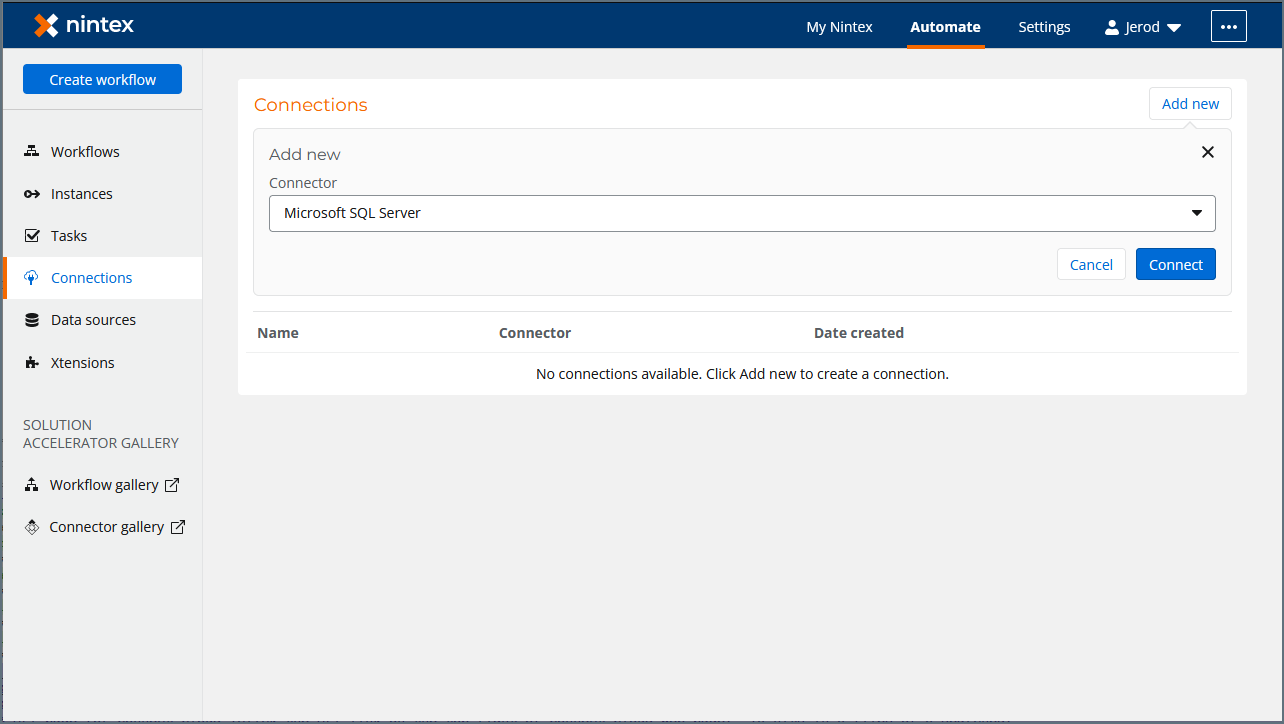
4
Click Connect. This opens the SQL Server connection wizard.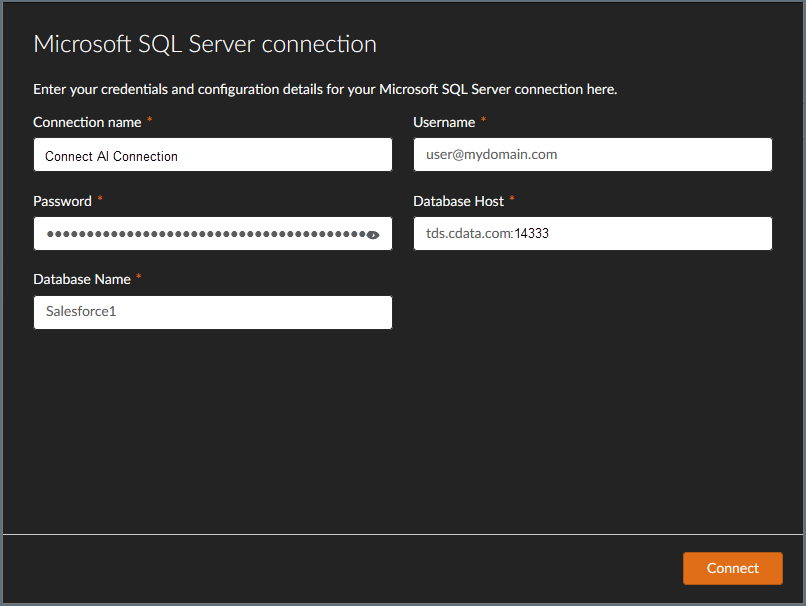
5
In the wizard, enter a Connection Name, such as Connect AI Connection.
6
Enter your Connect AI Username.
7
Enter your Connect AI PAT in the Password field.
8
Enter tds.cdata.com:14333 in Database Host.
9
Enter the name of the Database to connect to.
10
Click Connect.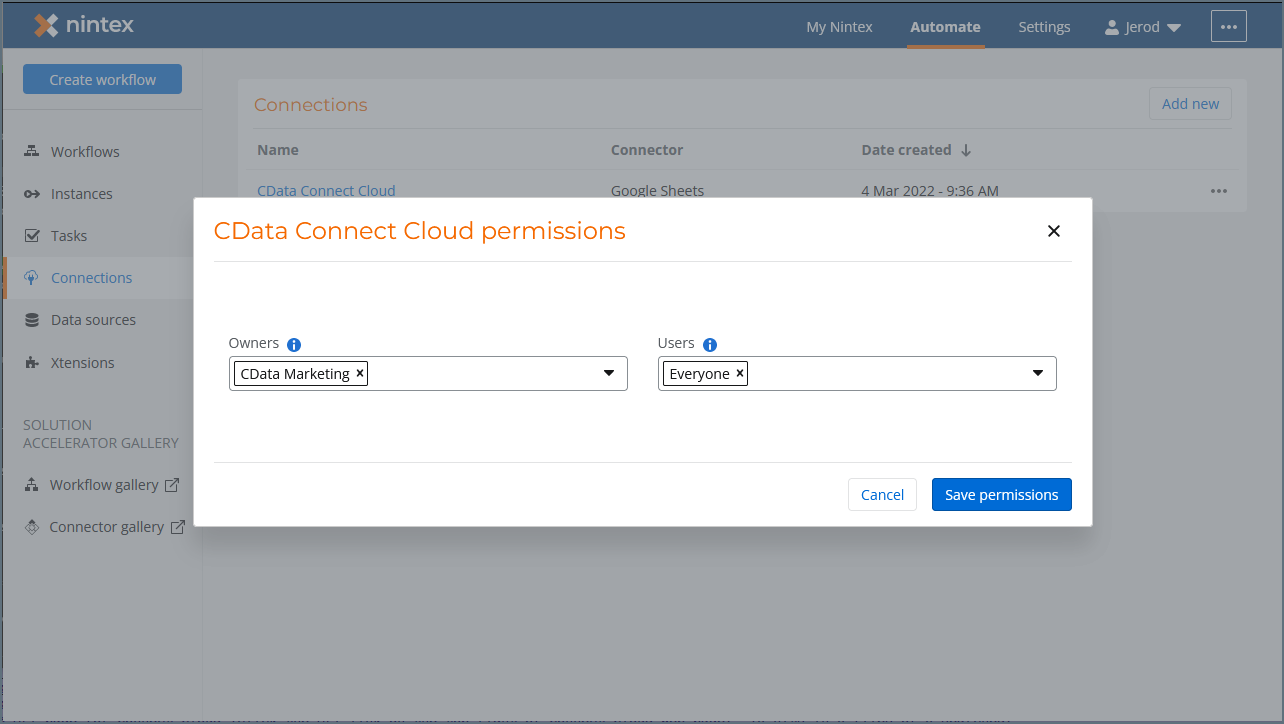
11
Configure the Connect AI Owner and User permissions and click Save Permissions to complete the connection.