

- Query Log—the query log contains details about the queries that are made to your Connect AI Embed account.
- Audit Log—the audit log records administrative events, including user login, permission changes, and more.
Query Log
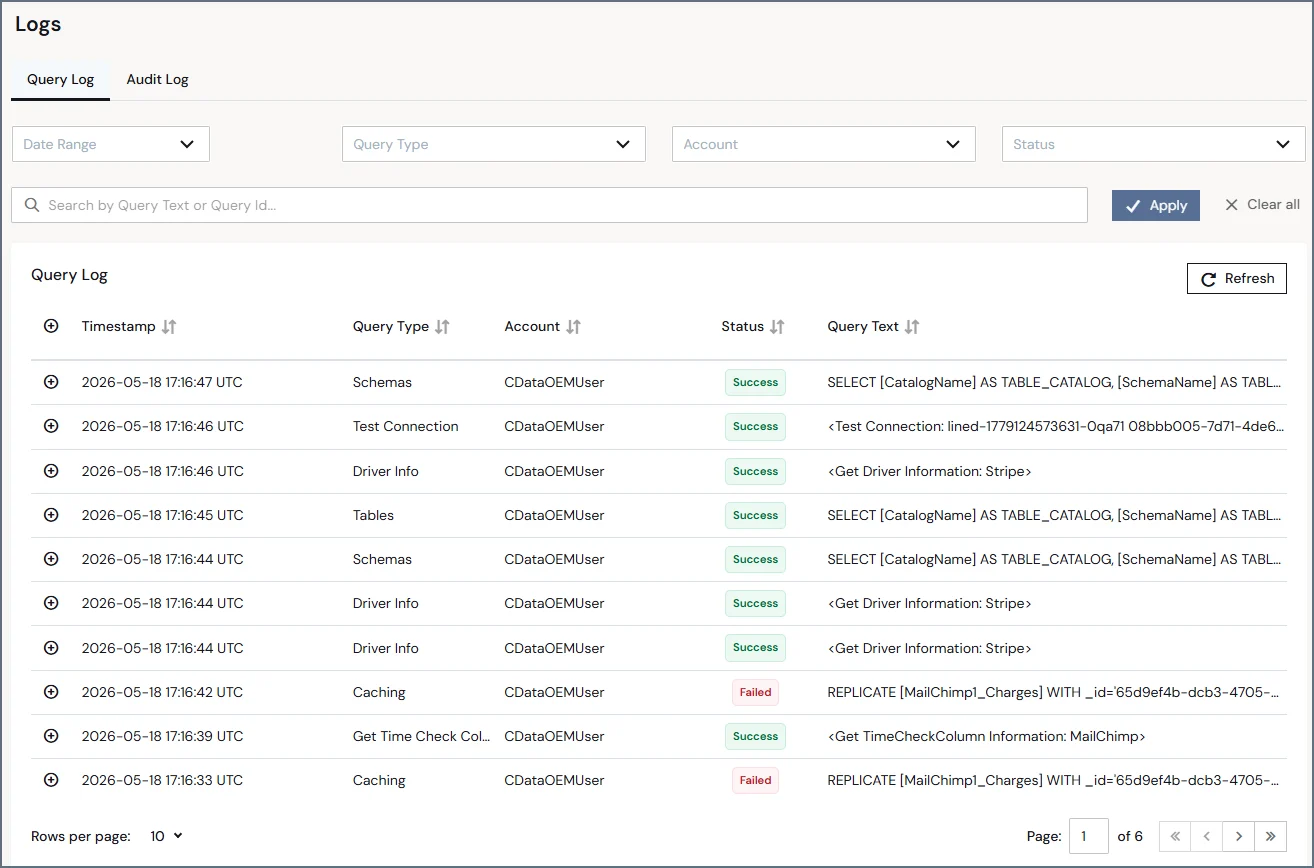
The Query Log tab displays a list of performed queries and the following information for each one:- Timestamp—the time when the query occurs, formatted as YYYY-MM-DD HH:MM:SS AM/PM UTC.
- Query Type—the category of the query.
- Account—the account Id of the Connect AI Embed sub-account that made the query.
- Status—the final state of the query; that is, whether it succeeded or failed.
- Query Text—the text and destination of the query.
Query Details
Clicking any query in the log expands the query and displays detailed information about it. The fields and contents can vary among queries of different types.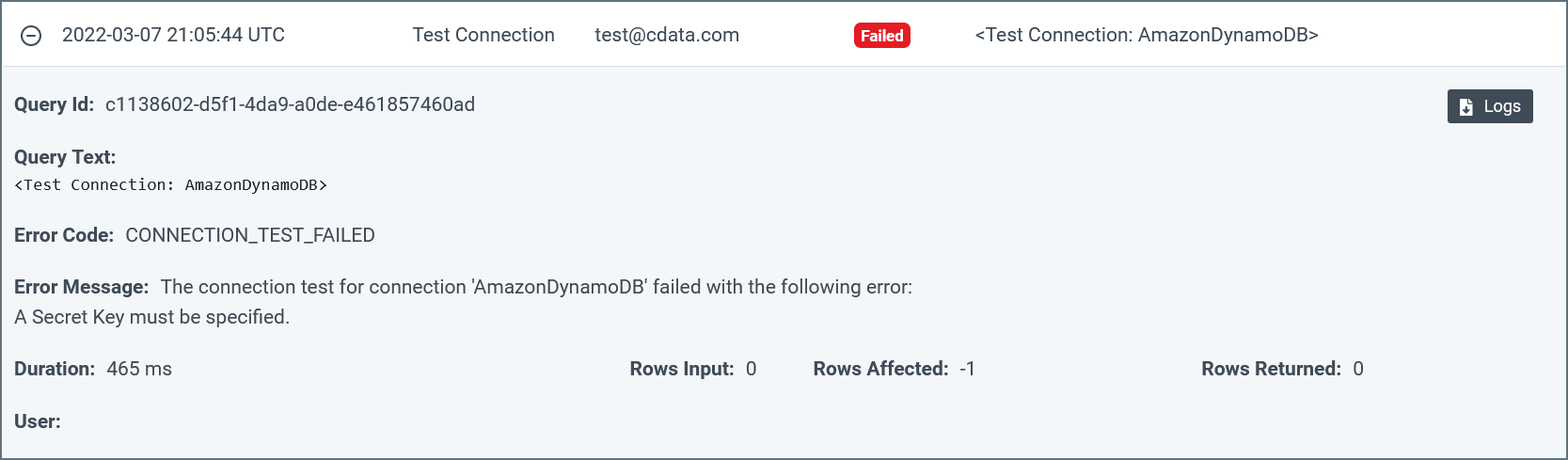
Notes:
- You can increase or decrease the logging verbosity for a connection on the Advanced Settings page for that connection. The default verbosity is 2. See Data Sources for more information.
- Connect AI Embed saves log files for seven days only. Log files older than seven days are deleted automatically.
Filtering
The section above the query table allows you to filter queries by such properties as date range, query type, account Id, status, and query Id.- Date Range—displays only queries that match the given date range (such as the last 7 days) or a custom date range selected from the date picker.
- Query Type(s)—displays only queries of the type(s) that you select.
- Account—displays only queries that were performed by the specified sub-account. Leave empty to select all sub-accounts.
- Status—displays only queries that were a success or that failed.
- Query Text or Query Id—displays only queries that include the entered text or match the Query Id.

Audit Log
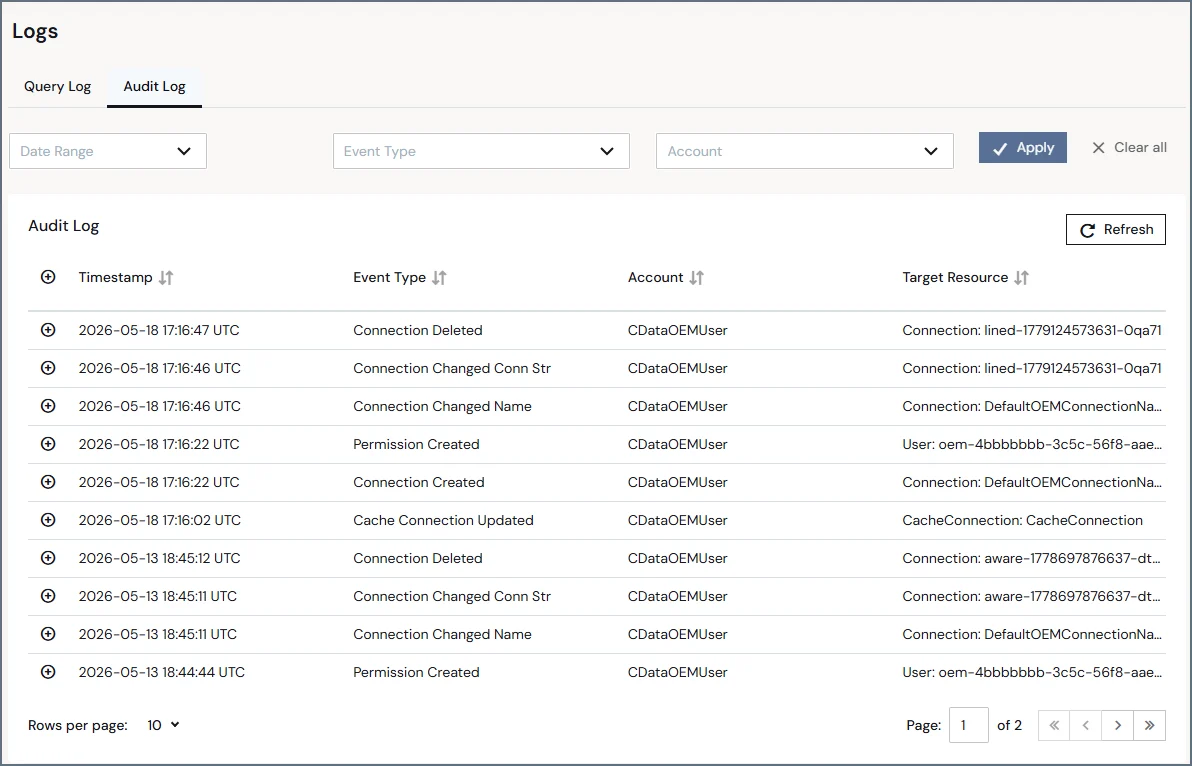
The Audit Log tab displays a list of audit events and the following information for each event:- Timestamp—the time when the event occurs, formatted as YYYY-MM-DD HH:MM:SS AM/PM UTC.
- Event Type—the category of audit event.
- Account—the account Id of the Connect AI Embed sub-account that triggered the event.
- Target Resource—the category and the name of the targeted resource.
Audit Details
Clicking any event in the audit log expands the event and displays detailed information about it. The fields and content can vary among events of different types. Some events do not have any detailed information to display.
Filtering
The section above the audit log enables you to filter events by date range, event type(s) and account Id.- Date Range—displays only events that match the given date range (such as last 7 days) or a custom date range selected from the date picker.
- Event Type—displays only events of the type(s) that you select.
- Account—displays only events that were triggered by the specified account Id.
