

データソースの管理
Connect AI ダッシュボードのSources ページで、データソースへのコネクションを追加および管理できます。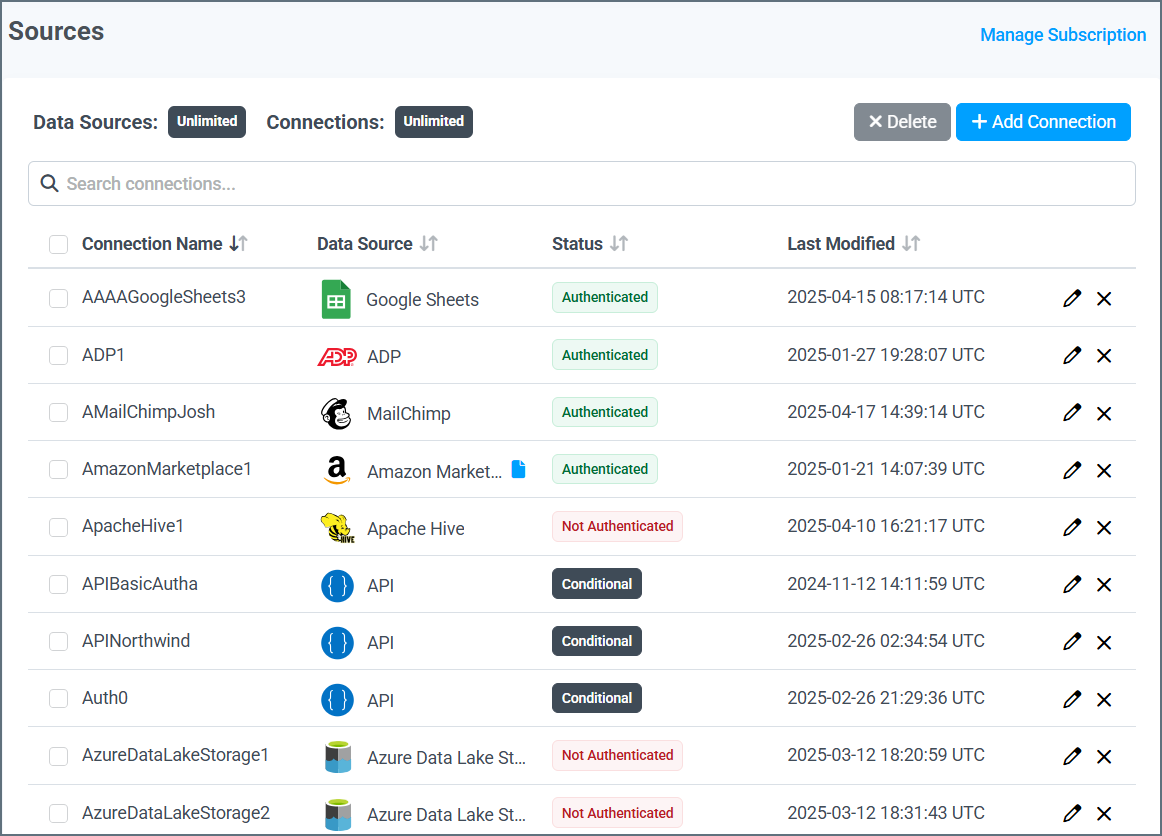
- OAuth を使うと、データソースの Web サイトからインターフェースを使用して直接サインインできます。
- 認証情報の手動入力を使うと、Connect AI のインターフェースに接続情報(ユーザー名、パスワード、URL など)を入力できます。その情報がセキュアに送信されてデータソースに接続されます。
ログの詳細レベル
On the Advanced Settings tab for each connection, there is a setting in the Logging section labelled Verbosity. This value determines how much information Connect AI includes in the logs for that data source on the Logs page. The value for verbosity can range from 1 to 5, where 1 includes the smallest amount of information and 5 includes the largest amount of information. By default, each data source logs at verbosity level 2. Please note that higher verbosity levels negatively impact query performance. For maximum performance, be sure to only increase the verbosity level for troubleshooting purposes.Protecting Sensitive Information in Logs
Verbosity levels 3 and up include sensitive information from the connection, as outlined below:- Level 3 includes the bodies of requests and responses to requests.
- Level 4 includes SSL certificates.
- Level 5 includes extra low-level transfer data not included at the previous levels.
Note: Regardless of the verbosity level, sensitive connection properties—including passwords—are always masked in connection strings and any requests/responses.