> ## Documentation Index
> Fetch the complete documentation index at: https://docs.cloud.cdata.com/llms.txt
> Use this file to discover all available pages before exploring further.
# LlamaIndex
> LlamaIndex is a framework for building LLM-powered applications that use your own data.
## Prerequisites
Before you can configure and use LlamaIndex with Connect AI, you must do the following:
* [OAuth JWT bearer token](/ja/API/Authentication-Embedded) を生成します。PAT をコピーし、認証時にパスワードとして使用します。
* Obtain an OpenAI API key: [https://platform.openai.com](https://platform.openai.com/).
* Make sure you have Python >= 3.10 in order to install the LlamaIndex packages.
## Create the Python Files
Create a folder for LlamaIndex MCP.
Create a Python file within the folder called `llamaindex.py`.
In `llamaindex.py`, set up your MCP server and MCP client to call the tools and prompts. The `Authorization` is `Bearer` and the JWT bearer token from the prerequisites.
```python expandable theme={null}
from llama_index.llms.openai import OpenAI
from llama_index.tools.mcp import BasicMCPClient, aget_tools_from_mcp_url
from llama_index.core.agent import ReActAgent
import asyncio
client = BasicMCPClient(
"https://mcp.cloud.cdata.com/mcp",
headers={"Authorization": "Bearer OAUTH_JWT_TOKEN"}
)
async def main():
# List available tools
tools = await aget_tools_from_mcp_url("https://mcp.cloud.cdata.com/mcp", client=client)
llm = OpenAI(model="gpt-4o", api_key="YOUR_OPENAI_KEY")
# Create ReActAgent
agent = ReActAgent(tools=tools, llm=llm, verbose=True)
# # Run a query
response = await agent.run("List all the catalogs for me please")
print(response)
asyncio.run(main())
```
## Install the LlamaIndex Packages
Run the following command in your project terminal:
```bash theme={null}
pip install llama-index llama-index-llms-openai llama-index-tools-mcp
```
## Run the Python Script
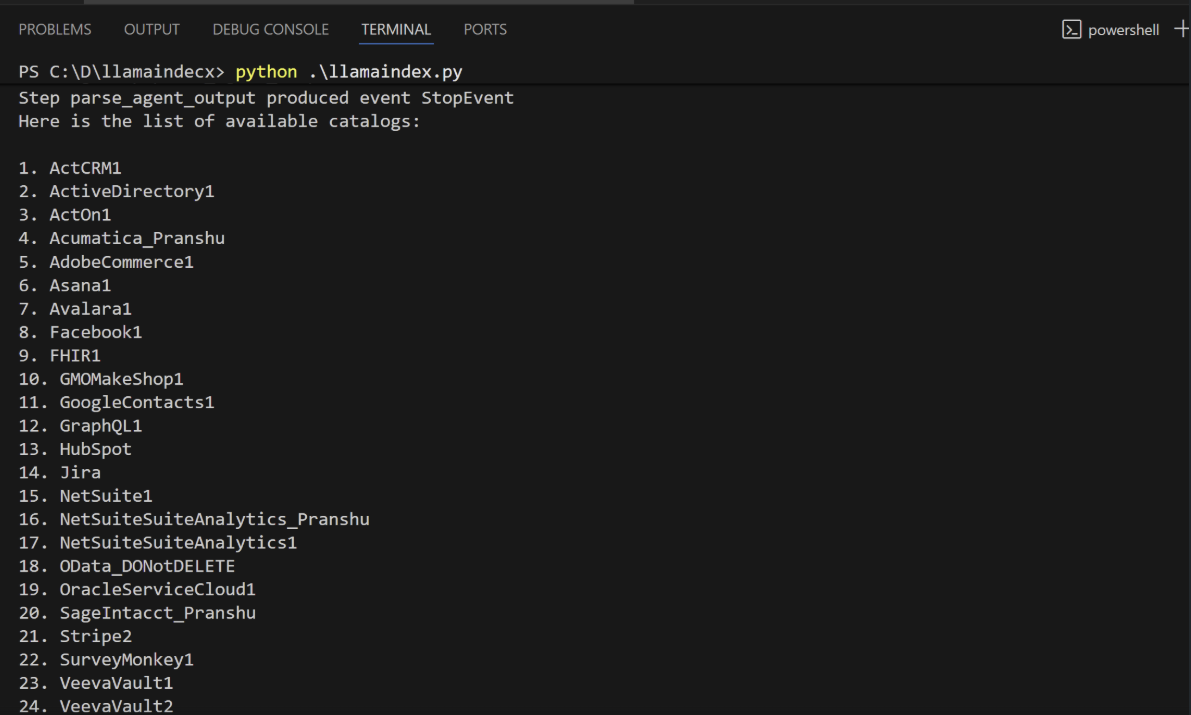
When the installation finishes, run the following command to execute the script:
```bash theme={null}
python llamaindex.py
```
The script discovers the Connect AI MCP tools needed for the LLM to query the connected data.
Supply a prompt for the agent. The agent provides a response.