> ## Documentation Index
> Fetch the complete documentation index at: https://docs.cloud.cdata.com/llms.txt
> Use this file to discover all available pages before exploring further.
# CrewAI
> CrewAI is an open-source Python framework for building multi-agent systems. This page explains how to create a CrewAI agent to connect to the Connect AI MCP server.
## Prerequisites
Before you can configure and use CrewAI with Connect AI, you must do the following:
* Connect a data source to your Connect AI account. See [Sources](/ja/Sources) for more information.
* [Settings](/ja/Settings#personal-access-tokens) ページでPersonal Access Token(PAT)を生成します。PAT をコピーし、認証時にパスワードとして使用します。
* Obtain an OpenAI API key at: [https://platform.openai.com](https://platform.openai.com).
* Make sure you have Python >= 3.10 in order to use the CrewAI tools.
## Configure the Connect AI MCP Server
Create a folder named `cdata-mcp-crew-agent`.
Create a file with the extension `.env` in the `cdata-mcp-crew-agent` folder.
Copy and paste the content below. Replace `"CONNECT_AI_EMAIL"` with your Connect AI username and replace `"CONNECT_AI_PAT"` with your PAT obtained in the prerequisites. Your OpenAI API key can be found at [https://platform.openai.com/](https://platform.openai.com/).
```bash theme={null}
# CData MCP Server Configuration
MCP_SERVER_URL="https://mcp.cloud.cdata.com/mcp"
MCP_USERNAME="CONNECT_AI_EMAIL"
MCP_PASSWORD="CONNECT_AI_PAT"
OPENAI_API_KEY="OPEN_API_KEY" # Your OPEN AI API Key
```
## Install the CrewAI Libraries
Run `pip install crewai requests python-dotenv` in your terminal.
## Create and Run the CrewAI Agent
Create a file called `crew-agent.py`. This is the CrewAI agent.
Copy and paste the following, defining the agent's tasks as desired:
```python expandable theme={null}
import os
import base64
import requests
from dotenv import load_dotenv
from crewai import Agent, Task, Crew
# Load environment variables
load_dotenv()
# MCP Server configuration
MCP_SERVER_URL = os.getenv('MCP_SERVER_URL', 'https://mcp.cloud.cdata.com/mcp')
MCP_USERNAME = os.getenv('MCP_USERNAME', '')
MCP_PASSWORD = os.getenv('MCP_PASSWORD', '')
# Create Basic Auth header
auth_header = {}
if MCP_USERNAME and MCP_PASSWORD:
credentials = f"{MCP_USERNAME}:{MCP_PASSWORD}"
auth_header = {
"Authorization": f"Basic {base64.b64encode(credentials.encode()).decode()}"
}
# MCP tool invocation function
def call_mcp_tool(tool_name, input_data):
payload = {
"tool": tool_name,
"input": input_data
}
try:
response = requests.post(
MCP_SERVER_URL,
json=payload,
headers=auth_header,
timeout=10
)
response.raise_for_status()
return response.json()
except Exception as e:
return {"error": str(e)}
# Define CrewAI agent
class MCPQueryAgent(Agent):
def __init__(self):
super().__init__(
name="cdata_query_assistant",
role="Data Query Assistant",
goal="Help users explore and query Connect AI databases",
backstory="You are a helpful assistant trained to interact with Connect AI via MCP tools. You understand databases, schemas, and SQL queries, and you guide users through their data exploration journey."
)
def get_catalogs(self):
return call_mcp_tool("getCatalogs", {})
def get_schemas(self, catalog):
return call_mcp_tool("getSchemas", {"catalog": catalog})
def get_tables(self, catalog, schema):
return call_mcp_tool("getTables", {"catalog": catalog, "schema": schema})
def get_columns(self, catalog, schema, table):
return call_mcp_tool("getColumns", {
"catalog": catalog,
"schema": schema,
"table": table
})
def query_data(self, catalog, query):
return call_mcp_tool("queryData", {
"catalog": catalog,
"query": query
})
# Instantiate agent
agent = MCPQueryAgent()
# Define tasks
task1 = Task(
agent=agent,
description="List the top 10 available catalogs in Connect AI",
expected_output="Catalog list",
output_function=lambda agent: agent.get_catalogs()
)
# Create and run crew
crew = Crew(
agents=[agent],
tasks=[task1]
)
if __name__ == "__main__":
results = crew.kickoff()
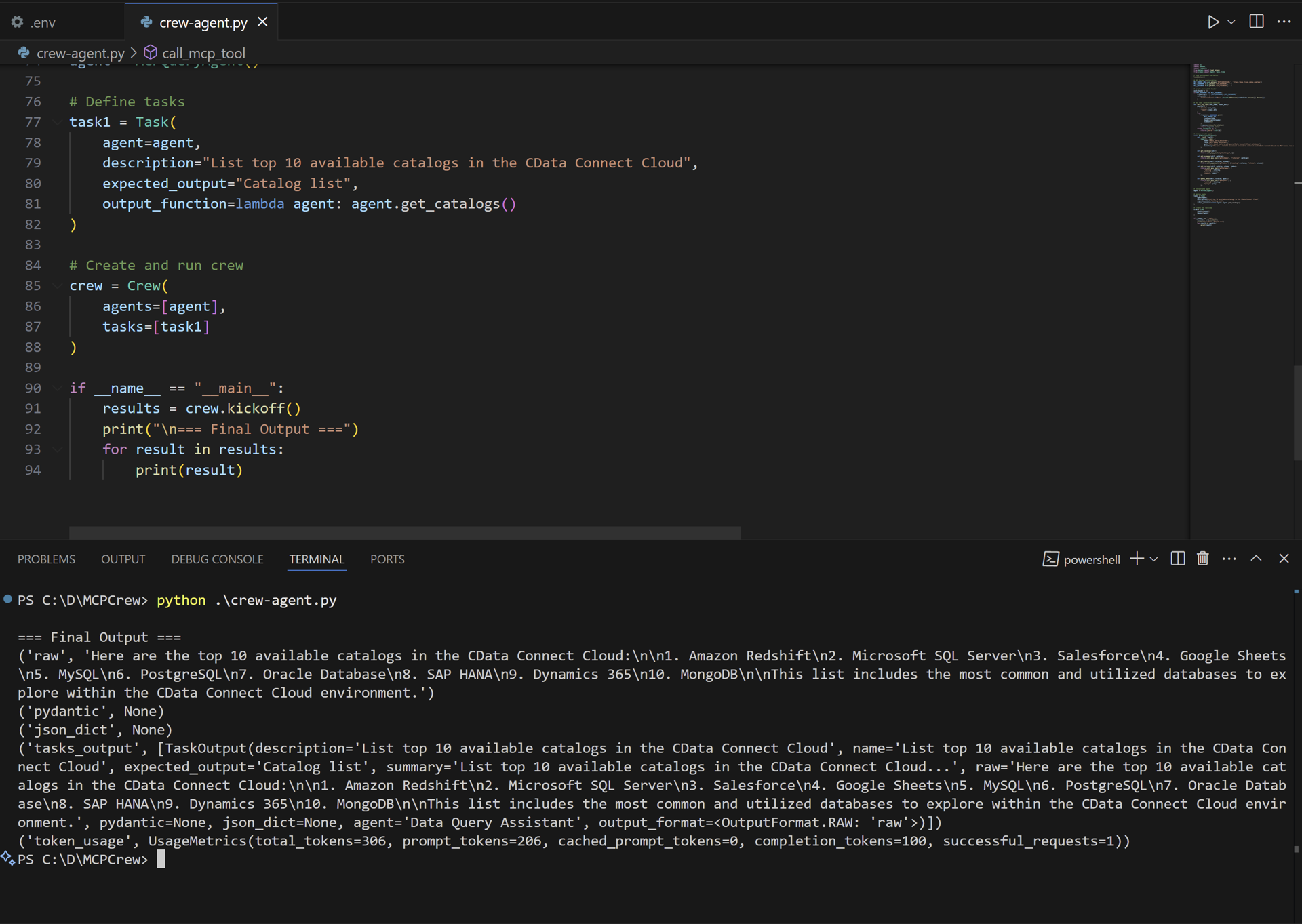
print("\n=== Final Output ===")
for result in results:
print(result)
```
Run `python crew-agent.py` in the terminal. The output displays the results of the task: