> ## Documentation Index
> Fetch the complete documentation index at: https://docs.cloud.cdata.com/llms.txt
> Use this file to discover all available pages before exploring further.
# User Context
> The User Context tab allows you to add information about yourself that is sent to the LLM once at the beginning of each conversation.
The **User Context** tab provides information about you to the LLM. You can paste in a Markdown file. Click **Preview** to preview the file and click **Save** when you are done.
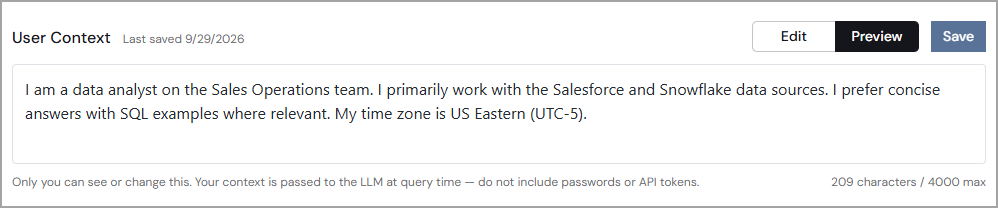 Do not include passwords or API tokens in this field.
This documentation is built and hosted on [Mintlify](https://mintlify.com), a developer documentation platform.
Do not include passwords or API tokens in this field.
This documentation is built and hosted on [Mintlify](https://mintlify.com), a developer documentation platform.