> ## Documentation Index
> Fetch the complete documentation index at: https://docs.cloud.cdata.com/llms.txt
> Use this file to discover all available pages before exploring further.
# Billing
> The Billing tab provides information and controls for your account plan and usage.
The **Billing** tab provides information and controls for your account plan and usage.
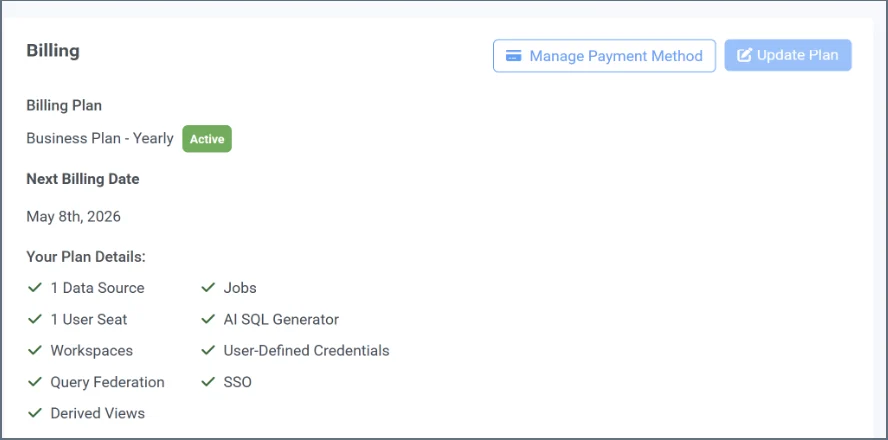 This tab consists of the following:
* The **Billing** section displays your plan information and next billing date.
* Click **Manage Payment Method** to open your account with Stripe. You can manage your billing settings, such as your payment method and billing address. If your subscription has lapsed, you must reactivate your plan to continue using Connect AI.
* The **Update Plan** section on the right (if applicable) contains information about contacting the Connect AI sales team. You can also email [sales@cdata.com](mailto:sales@cdata.com).
* If you are on a free trial account, this section displays your trial information.
* The **Additional Usage** section displays what is remaining in your current plan.
This tab consists of the following:
* The **Billing** section displays your plan information and next billing date.
* Click **Manage Payment Method** to open your account with Stripe. You can manage your billing settings, such as your payment method and billing address. If your subscription has lapsed, you must reactivate your plan to continue using Connect AI.
* The **Update Plan** section on the right (if applicable) contains information about contacting the Connect AI sales team. You can also email [sales@cdata.com](mailto:sales@cdata.com).
* If you are on a free trial account, this section displays your trial information.
* The **Additional Usage** section displays what is remaining in your current plan.