> ## Documentation Index
> Fetch the complete documentation index at: https://docs.cloud.cdata.com/llms.txt
> Use this file to discover all available pages before exploring further.
# Account
> The Account tab provides access to account-wide settings.
The **Account** tab provides access to account-wide settings.
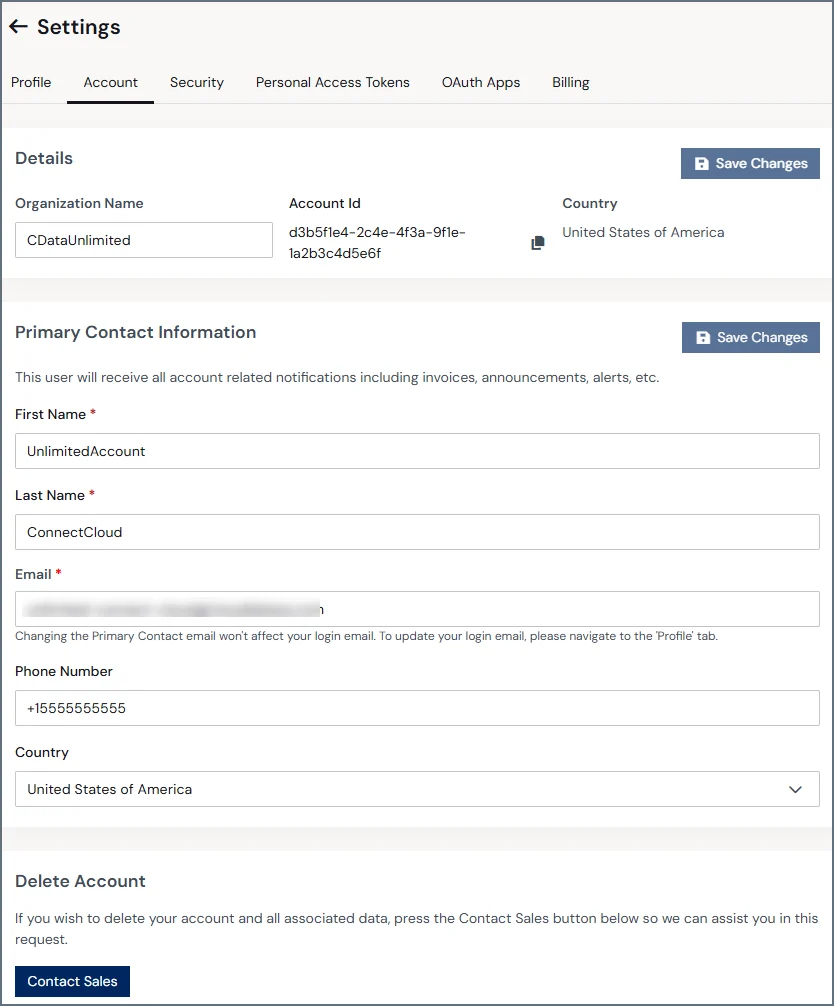 The sections of this page are described below.
## Details
The **Details** section lists the following global account information:
* Organization Name
* Account Id
* Country
## Primary Contact Information
This section contains the following fields that define the account's primary contact for invoices, announcements, and other communication. These fields can only be edited by administrators.
* First name
* Last name
* Email
* Phone Number
* Country
The email in this section is not the user login email. Change the login email in the **Profile** tab.
## Delete Account
If you want to delete your Connect AI account and all of its data, click **Contact Sales** for assistance.
Account deletion is permanent. If you delete your account and later want to use Connect AI again, you must create a new account.
The sections of this page are described below.
## Details
The **Details** section lists the following global account information:
* Organization Name
* Account Id
* Country
## Primary Contact Information
This section contains the following fields that define the account's primary contact for invoices, announcements, and other communication. These fields can only be edited by administrators.
* First name
* Last name
* Email
* Phone Number
* Country
The email in this section is not the user login email. Change the login email in the **Profile** tab.
## Delete Account
If you want to delete your Connect AI account and all of its data, click **Contact Sales** for assistance.
Account deletion is permanent. If you delete your account and later want to use Connect AI again, you must create a new account.